
Ostrilo
A Nostr browser signer, built around privacy, security and a better everyday experience.
About this work
I started writing Ostrilo because I wanted to learn more about Nostr, and I wasn’t entirely happy with the browser extension I’d been using. Building one myself gave me a way to explore the protocol while focusing on the things I cared about: privacy, security and usability.
Ostrilo is now available for Chrome, with a website to explain how it works and the source available for anyone to inspect, build on or contribute to.
The idea is simple. A Nostr app should be able to ask for a signature without being given the private key that controls an identity. Ostrilo keeps that key in an encrypted vault in the browser, handles signing inside the extension, and gives the website the signed event. The person using it can see who’s asking and decide what to allow.
A small window with a serious job
A signer sits in the middle of ordinary things people do on Nostr, such as connecting to an app or publishing a note. The interface needs to make those moments understandable without making every interaction feel like a cryptography lesson.
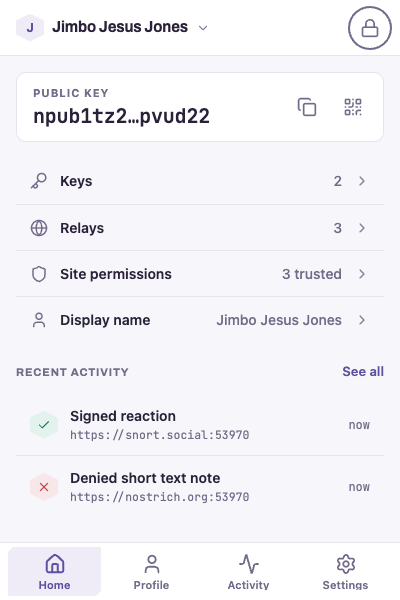
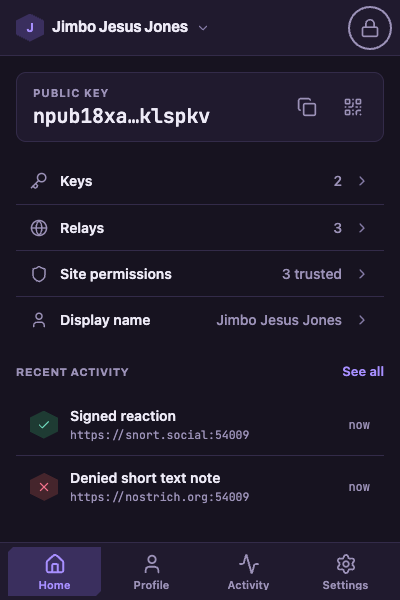
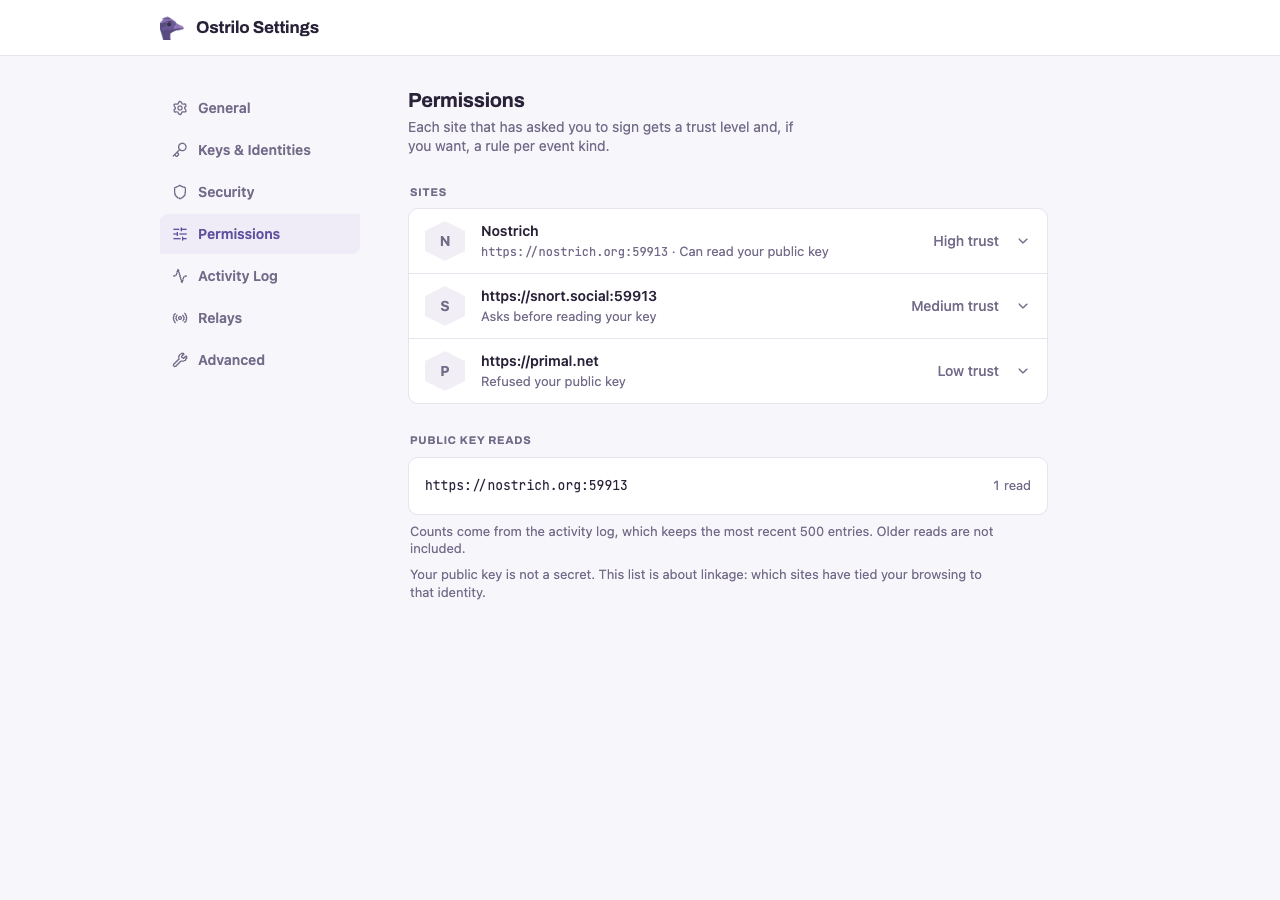
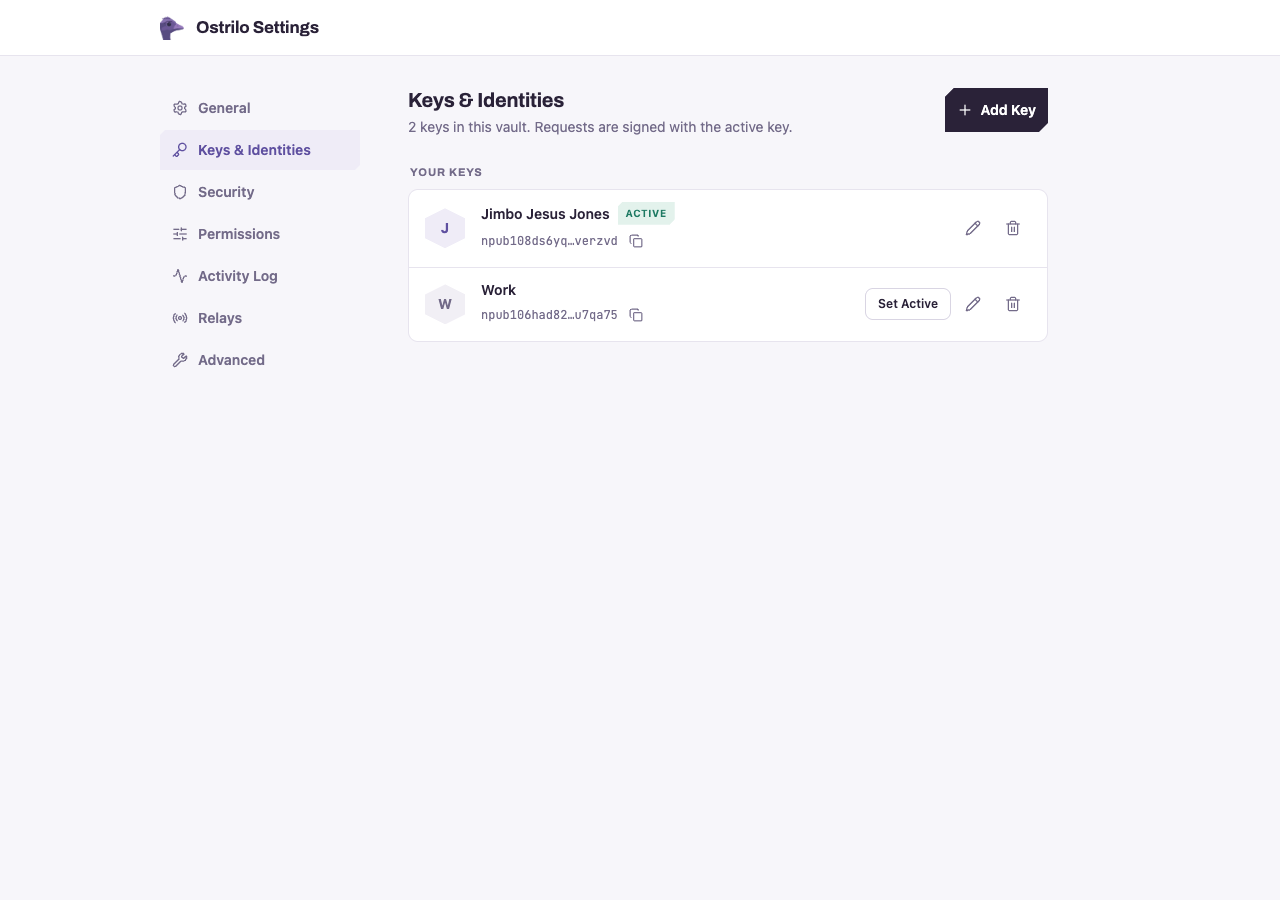
Ostrilo brings the selected identity, keys, relays, site permissions and recent activity into one compact home screen. It supports multiple identities, with names and profile information to make them easier to recognise. Profile editing and relay selection are available in the extension too.
When a website asks for a signature, the approval screen shows its address, the identity being used, the event type and the content. For a text note, it explains the consequence directly: signing lets the site publish a note as that identity. The raw event is there to inspect as well.
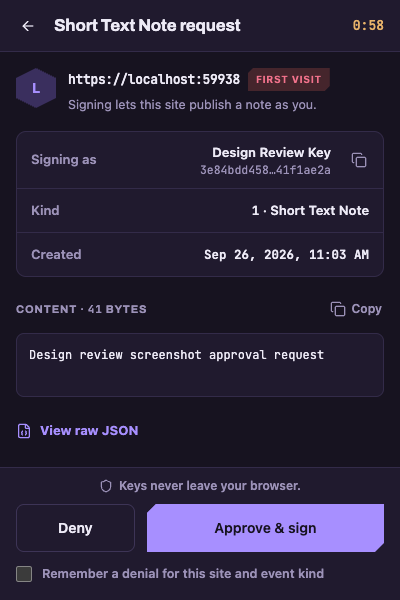
Some actions can be allowed through a site’s saved permissions. Others, including text notes, deletion requests and authentication requests, always need approval. Even a highly trusted site doesn’t get permission to silently sign every kind of event. The policy uses an explicit list of eligible kinds, so a new or unrecognised kind still prompts.
That’s the kind of detail I wanted to give attention to. Usability includes knowing what a button will let another application do.
Signs locally, never snoops
I wanted an extension that would do its job without watching everything else I was doing in the browser.
Ostrilo has no developer-operated backend and sends no analytics, telemetry, crash reports or usage statistics to me. Its content script passes Nostr requests between the page and the extension. It doesn’t read the page’s content. Site permissions, settings and the activity log stay on the device. Only the preference for opening Ostrilo in the side panel uses browser sync.
It still needs to communicate with Nostr. Looking up and publishing profiles uses the relays the user chooses, and those relays can see the public key involved and the connecting IP address. The extension also keeps a local record of signing activity, including a short content preview. The privacy policy sets out those details.
One subtle issue is the public key itself. It isn’t a secret, but handing it to a website links a browsing session to an identity. Ostrilo asks before a site can read it, records that access, and lets the user revoke permission. Approving a signature shares the public key too, because it’s part of the signed event.
The decisions behind the interface
The extension is written in TypeScript and React, using WXT. Websites connect through NIP-07, the standard browser interface for Nostr signers. Ostrilo implements its two core methods: getPublicKey() and signEvent().
Those two calls have quite a lot behind them. A request crosses from a website into the extension, is checked against the site’s permissions, and may need a decision from the user before the vault signs it. The background verifies the requesting origin using information supplied by the browser. It doesn’t simply trust an address included in the message.
Private keys are encrypted at rest using Argon2id and AES-256-GCM. The vault locks automatically, and sensitive actions ask for the password again. These are useful protections, though an extension still depends on the security of the browser and device it’s running on.
A less visible decision was to make permissions local to each browser. Earlier development builds used browser sync for settings. That meant a permission granted in one browser could take effect in another browser with a different vault. In the release, those decisions stay with the installation where they were made. Convenience across devices needs a more deliberate design when the setting grants authority to sign.
Making it pleasant to use
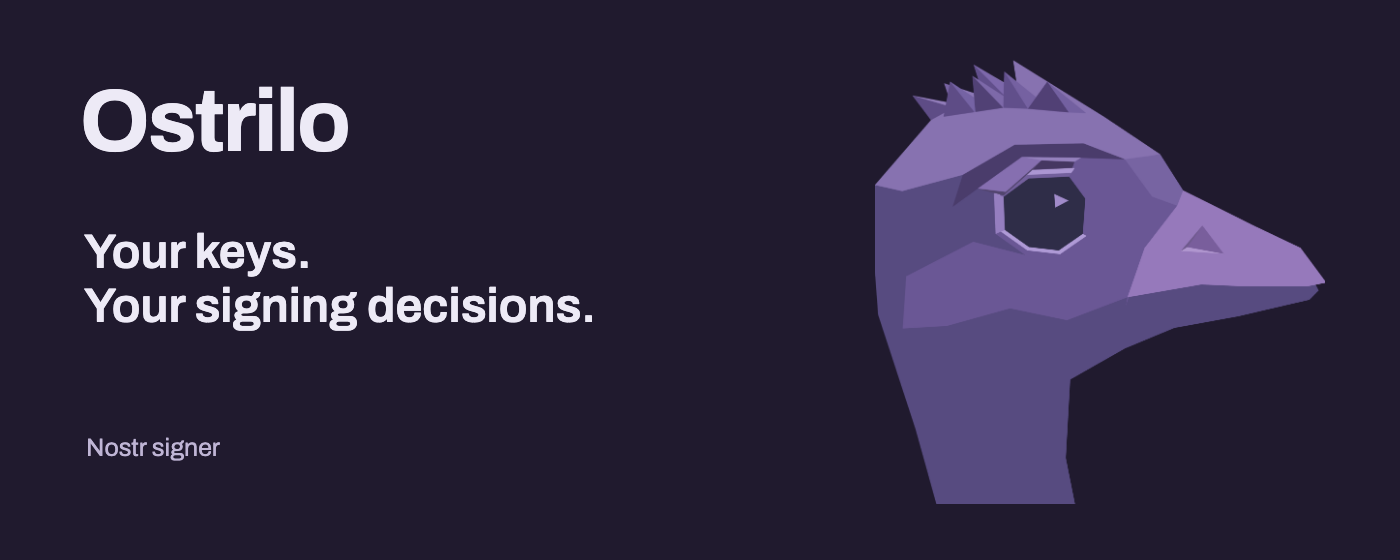
I also wanted something that felt good to open. Ostrilo has its own visual identity, built around the faceted purple ostrich, restrained colour and clear typography. Light and dark themes get the same attention, including the screens for reviewing requests and changing settings.
The design work needed realistic content. An empty vault hid a home-screen layout problem that appeared once several activity entries were present: rows shrank and clipped. The design-review record documents the fix and the populated captures used to check it. Long identity names, several relays and a queue of requests give a much more useful view of the interface than an empty screen.
The same principle applies to testing. The repository includes security tests for the rules around consent, locking and signing, alongside browser journeys against the built Chromium extension. For example, the policy tests check that a locked vault refuses requests even when a site has saved permissions. That is a specific behaviour to verify, and one the interface depends on.
This first release
Ostrilo is open source under the MIT licence. The current release covers local signing, multiple identities, permissions, profile editing and relay selection. An encrypted backup can be saved and restored during first-key setup. Backup for keys added later still needs work, so those keys need particular care. There is no recovery service if every copy of a private key is lost.
The roadmap includes broader backup support, NIP-44 encrypted messaging and NIP-46 remote signing. An independent security review with published findings is a requirement for 1.0 and hasn’t happened yet.
The setup guide and source are linked from ostrilo.com.
Explore the work
If something here overlaps with a problem you’re working on, or you’d like to collaborate, we’d be glad to talk.
Project enquiries, collaboration proposals, and thoughtful conversations are all welcome.
hello@exosquare.com